Architecture Views & Visual Projections
Architecture models often contain hundreds of interconnected entities spanning business, software, infrastructure, security, and governance domains. Views in the Scapius DSL allow architects to define declarative, repeatable visual projections tailored to specific stakeholder audiences and technical disciplines.
Views are authored inside a views { ... } block within the root workspace.
workspace enterprise_architecture "Corporate Architecture" {
    # Architecture entities, layers, and groups...

    views {
        landscape v_core_landscape "Core Banking Landscape" {
            include system
            include capability
            auto_layout TopToBottom
        }
    }
}
13 Specialized View Types
Scapius provides 13 purpose-built projection types. Explore the dedicated reference guide for each:
| View Type | Primary Audience | Supported Entity Types | Key Relationships |
|---|---|---|---|
landscape | Enterprise Architects, Executives | Any explicitly selected entity kind | composed_of, realizes, serves, hosts, depends_on, migrates_to, influences, triggers |
container | Solution Architects, Tech Leads | system, app, component, data_object | composed_of, reads, writes, flows_to, depends_on |
integration | Integration Engineers, API Designers | system, app, actor, environment, agent | reads, writes, flows_to, depends_on, triggers |
capability_map | Business Architects, Product Leaders | capability | composed_of |
value_stream_map | Business Architects, Transformation Leads | value_stream, stage, capability, process, app, system, agent, data_object, kpi | realizes, serves, flows_to, triggers, reads, writes, influences |
lifecycle_roadmap | Enterprise Architects, Portfolio Managers | Any entity with lifecycle phases (system, app, capability, etc.) | migrates_to |
portfolio_matrix | IT Strategists, CIOs, Enterprise Architects | Any scored entity with business value and technical fit (app, system, capability) | None |
threat_model | Security Architects, AppSec Teams | capability, process, system, app, component, infrastructure, data_object, actor, agent, trust_boundary, threat, risk_scenario, vulnerability, control | targets, mitigates, protects, flows_to, reads, writes, depends_on, encloses |
risk_heatmap | Risk Officers, GRC Leads | threat, risk_scenario | targets, mitigates, governed_by |
compliance_matrix | Compliance Officers, Auditors | standard, policy, system, app, data_object | governed_by |
data_flow | Data Architects, Privacy Officers | data_object, system, app, component, actor, agent | reads, writes, flows_to, protects |
attack_surface | SecOps, Cloud Security Engineers | app, system, trust_boundary, control, threat, vulnerability, infrastructure | encloses, protects, mitigates, targets |
dashboard | Metadata only in v1; use workspace_home for the functional dashboard | Runtime metadata; does not scope dashboard metrics | None for dashboard rendering |
Universal View Syntax & Capabilities
Every view type shares the following declarative statements:
views {
    <view_type> <view_id> "<View Title>" {
        # 1. View Metadata
        description "<text>"
        owner "<team>"
        tags ["tag1", "tag2"]
        attr <key> <value>

        # 2. Inclusion & Exclusion Filtering
        include <target> (where <predicate>)?
        exclude <target> (where <predicate>)?

        # 3. Relationship Verb Filtering
        include_verb <verb> (incoming | outgoing | both)?
        exclude_verb <verb> (incoming | outgoing | both)?

        # 4. Layout Direction
        auto_layout TopToBottom | LeftToRight

        # 5. View-Scoped Style Rules (entity kinds, verbs, or specialized data elements: phase.* in lifecycle_roadmap, time.* in portfolio_matrix)
        style <selector> (where <predicate>)? { ... }

        # 6. Text Annotations (Canvas-Rendered Views)
        text <note_id> """
            Markdown annotation content
        """ {
            anchor <target_entity_id>
        }
    }
}
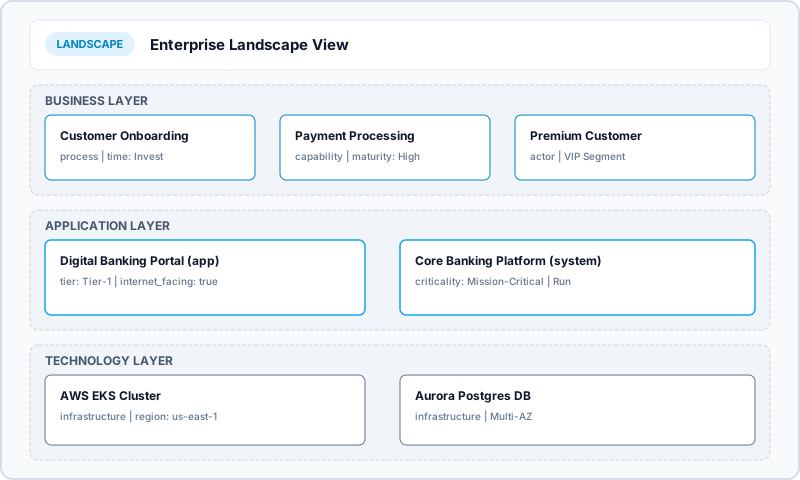
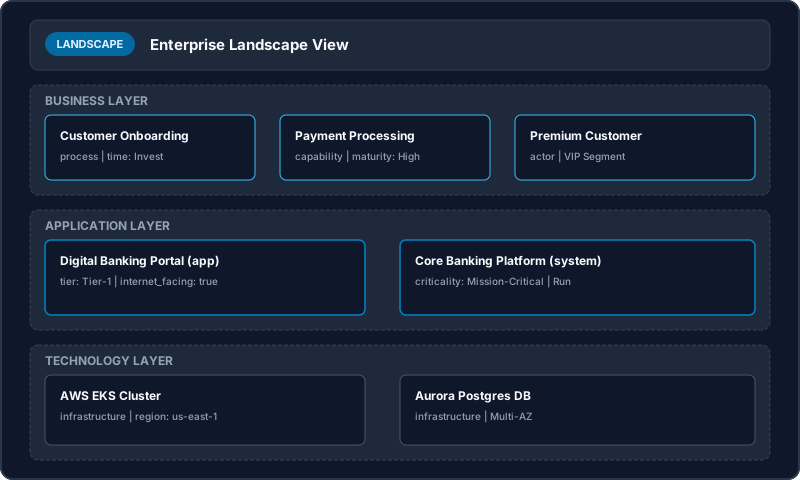
Theme-Aware Diagram Support
All Scapius diagram projections support automated Light and Dark themes. Toggling the theme switch in the documentation header toggles the visual diagram renderers in real time.
Reactive Living Projections & Auto-Updates
Unlike static drawings or manually exported images, Scapius views are declarative projections of the underlying architecture AST:
- Automatic Propagation: Modifying an entity's name, owner, properties, or relationships in any
.eafile automatically propagates to every view referencing that entity. - Dynamic Inclusions: Views using selector queries (e.g.
include where ...orinclude_verb ...) automatically detect and incorporate newly declared entities when the workspace is compiled. - Real-Time IDE & Web Sync: In both the Scapius Web Workspace and the VS Code extension, saving source changes immediately triggers incremental recompilation, hot-updating the visual canvas without requiring manual diagram edits or page reloads.